The internet has become an important part of my daily life. I use it to work, study, shop, communicate with friends, and even manage my finances. While the online world offers countless opportunities, I have also realized that it comes with many risks. Every day, millions of people become targets of cybercriminals who are looking for personal information, money, or sensitive data. That is why I believe everyone should understand the most common online security threats and learn how to stay protected.
When I first started using the internet, I thought that hackers only targeted large companies. Later, I discovered that ordinary people are often the easiest targets because many of us do not pay enough attention to online security. A simple mistake like clicking an unknown link or using a weak password can lead to serious problems. Learning about these threats has helped me become more careful, and I think everyone can benefit from understanding them.
Phishing Attacks
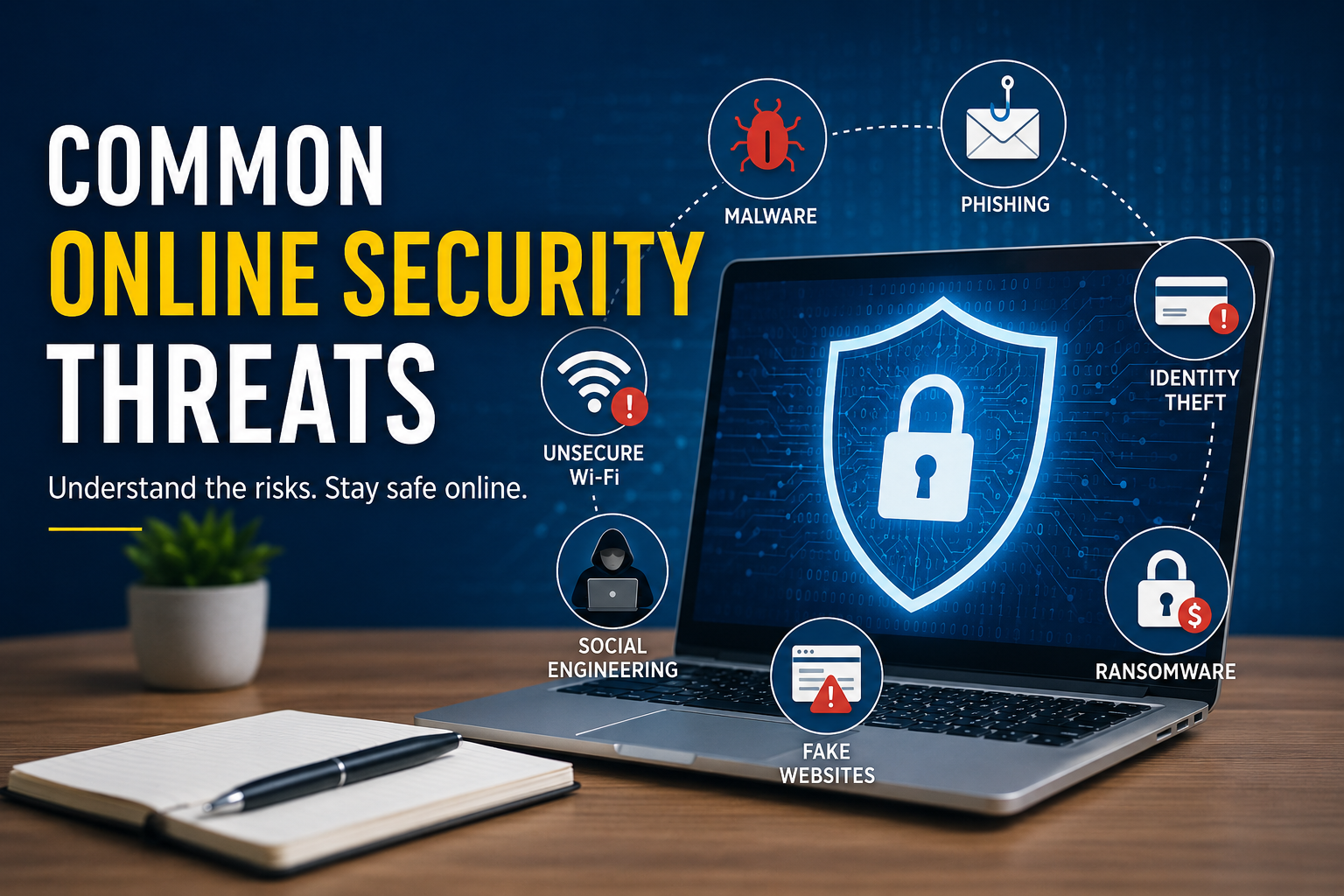
One of the most common online security threats is phishing. In my opinion, phishing is one of the easiest tricks used by cybercriminals because it depends on human mistakes instead of advanced technology.
A phishing attack usually starts with an email, text message, or social media message that looks genuine. The attacker may pretend to be a bank, an online shopping website, or even a trusted company. They often ask the victim to click a link, verify an account, or update personal information.
If someone falls for this trick, they may unknowingly provide their username, password, credit card information, or other sensitive details. Once the attacker gets this information, they can misuse it in many ways.
Whenever I receive unexpected emails asking me to log in or verify my account, I always check the sender carefully. I also avoid clicking suspicious links because it is better to be safe than sorry.
Malware
Another major online security threat is malware. Malware is a general term used for harmful software that is designed to damage devices or steal information.
Malware can enter a computer or smartphone through unsafe downloads, infected email attachments, fake software, or malicious websites. Once installed, it can perform different harmful activities without the user’s knowledge.
Some malware steals passwords while others monitor online activities. Certain types can even lock important files until a ransom is paid.
To reduce this risk, I only download software from trusted sources. I also keep my operating system and antivirus software updated because security updates often fix newly discovered vulnerabilities.
Ransomware
Ransomware has become one of the most dangerous cyber threats in recent years. It is a type of malware that locks or encrypts files so they cannot be accessed.
After encrypting the files, the attacker demands money in exchange for restoring access. Unfortunately, paying the ransom does not guarantee that the files will be recovered.
I believe regular backups are one of the best defenses against ransomware. If important files are safely stored in another location, recovering from an attack becomes much easier.
Businesses, schools, hospitals, and even individual users have all become victims of ransomware attacks. This shows that no one is completely immune.
Weak Passwords
Many people underestimate the importance of strong passwords. I used to think that a simple password would be enough, but I quickly realized that weak passwords are easy for attackers to guess.
Cybercriminals use automated tools that can try thousands of password combinations within a short period. If someone uses simple passwords like “123456” or “password,” their accounts can be compromised very quickly.
Now I create unique passwords for every important account. I combine uppercase letters, lowercase letters, numbers, and special characters to make each password stronger. Using a password manager also makes it easier to store complex passwords safely.
Identity Theft
Identity theft is another serious online security threat. This happens when criminals steal personal information and use it for illegal purposes.
They may use stolen information to open bank accounts, apply for loans, make online purchases, or impersonate someone on social media. Recovering from identity theft can take a long time and often causes financial and emotional stress.
I always avoid sharing unnecessary personal information online. Before entering sensitive details on any website, I make sure the website is secure and trustworthy.
Fake Websites
Fake websites are becoming increasingly convincing. Some of them look almost identical to the original websites they are trying to copy.
The goal is usually to trick visitors into entering login credentials, payment information, or other personal details. Once the information is submitted, it goes directly to cybercriminals.
Whenever I visit a website, I carefully check the web address. Even a small spelling mistake in the domain name can indicate that the website is fake. I also look for secure connections before entering any sensitive information.
Social Engineering
Social engineering is different from technical hacking because it focuses on manipulating people rather than computers.
Attackers often pretend to be trusted individuals or company representatives. They may create a sense of urgency to pressure someone into revealing confidential information.
I have learned that staying calm is one of the best defenses against social engineering. Whenever someone asks for sensitive information unexpectedly, I verify their identity before responding.
Spyware
Spyware is another online security threat that many people do not notice until it is too late. As the name suggests, spyware is designed to secretly monitor a user’s activities. It can collect browsing history, login credentials, financial information, and even personal conversations without the user’s knowledge.
Spyware often enters a device through free software downloads, fake applications, or suspicious email attachments. Once installed, it quietly runs in the background and sends collected information to cybercriminals.
To avoid spyware, I only install software from trusted websites and official app stores. I also pay attention during software installation because some free programs try to install unwanted applications along with the main software.
Public WiFi Risks
Free public WiFi is convenient, especially when traveling or working outside the home. However, I have learned that public networks can also create security risks if they are not properly secured.
Cybercriminals sometimes create fake WiFi networks that appear legitimate. When someone connects to these networks, their online activity can be monitored. Attackers may capture usernames, passwords, and other sensitive information.
Even on genuine public WiFi, data can sometimes be intercepted if websites or applications do not use secure connections.
Whenever I use public WiFi, I avoid logging into banking websites or making online payments. If I need to access sensitive accounts, I prefer using my mobile data or a trusted Virtual Private Network to add an extra layer of protection.
Data Breaches
Data breaches have become increasingly common over the past few years. Large companies store huge amounts of customer information, making them attractive targets for hackers.
A successful data breach can expose names, email addresses, passwords, phone numbers, and even payment details. Even if I have done nothing wrong, my information could still become part of a breach if a company fails to protect its systems.
Because of this risk, I never reuse the same password across multiple accounts. If one account becomes compromised, my other accounts remain protected. I also enable two factor authentication whenever it is available because it adds another level of security.
Online Shopping Scams
Online shopping is more popular than ever, but scammers also take advantage of people looking for good deals.
Some fake online stores advertise expensive products at unrealistically low prices. After receiving payment, they either send fake products or disappear completely.
Before buying anything online, I spend a few minutes checking customer reviews, verifying the website, and reading the return policy. If a deal looks too good to be true, I usually avoid it because it often turns out to be a scam.
Social Media Threats
Social media platforms help us stay connected, but they also expose personal information if we are not careful.
Many people share birthdays, phone numbers, travel plans, family details, and even their current location without realizing how valuable this information can be to cybercriminals.
Fake profiles are another common problem. Attackers may create accounts that appear to belong to friends or well known organizations. They then use these fake accounts to spread scams or steal personal information.
I try to keep my privacy settings updated and only accept friend requests from people I actually know. I also avoid sharing sensitive information publicly because once something is posted online, it can be difficult to remove completely.
How I Protect Myself Online
Learning about online threats has changed the way I use the internet. I believe good cybersecurity habits are not difficult to develop, but they require consistency.
I always keep my devices updated because software updates often contain important security fixes. I use strong and unique passwords for every important account. I also enable two factor authentication whenever possible because it provides extra protection.
Regularly backing up important files gives me peace of mind. Even if something goes wrong, I know I can recover my important documents and photos.
Another habit I have developed is thinking before I click. Whether it is an email attachment, a social media link, or a text message, I always take a moment to verify that it is safe before opening it.
Why Cybersecurity Awareness Matters
Technology continues to evolve every year, and cybercriminals continue to develop new attack methods. This means cybersecurity is not something we learn once and forget. It is an ongoing process.
I believe awareness is one of the strongest defenses against cyber threats. When people understand how attacks work, they become much less likely to fall victim to scams or malicious software.
Parents can teach children about safe internet habits, businesses can train employees to recognize threats, and individuals can continue learning about new cybersecurity practices. Every small step contributes to a safer online environment.
Conclusion
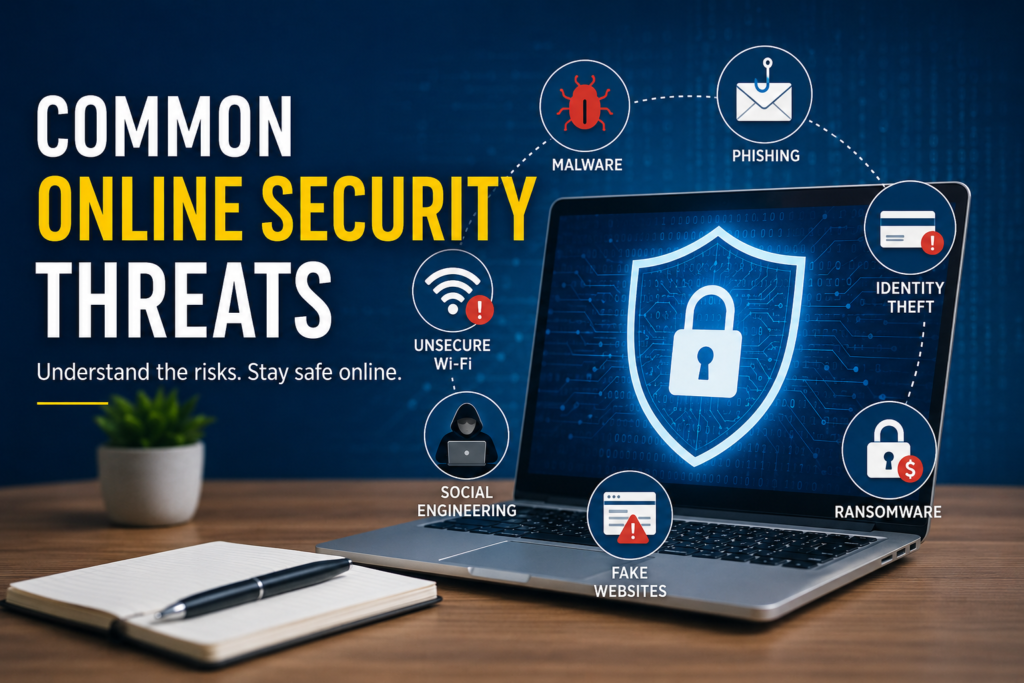
The internet has transformed the way we live, work, learn, and communicate. While it offers incredible convenience, it also brings many security challenges that should never be ignored. Threats such as phishing attacks, malware, ransomware, spyware, fake websites, identity theft, data breaches, online shopping scams, and insecure public WiFi can affect anyone.
From my experience, staying safe online is not about being afraid of technology. It is about using technology wisely. Simple habits such as creating strong passwords, keeping software updated, avoiding suspicious links, enabling two factor authentication, and staying informed about new threats can make a huge difference.
I believe cybersecurity is everyone’s responsibility. The more careful we are today, the better protected we will be tomorrow. By practicing safe online habits and remaining alert, we can enjoy all the benefits of the digital world while reducing the risks that come with it.